Business Broadband vs Leased Line

Business Broadband vs Leased Line

A slow connection rarely fails at a convenient moment. It tends to happen when your team is on a video call, your cloud systems are lagging, card payments are backing up, or a deadline is close. That is why the question of business broadband vs leased line matters so much for growing organisations. The right choice is not just about internet speed. It affects productivity, customer experience, resilience and how confidently your business can operate day to day.

For many SMEs, both options can look similar at first glance. Both get your business online, both can support cloud services, and both can be sold with impressive speed figures. The difference is in how they perform under pressure, how consistent they are, and what level of assurance you get when something goes wrong.

Business broadband vs leased line: the core difference

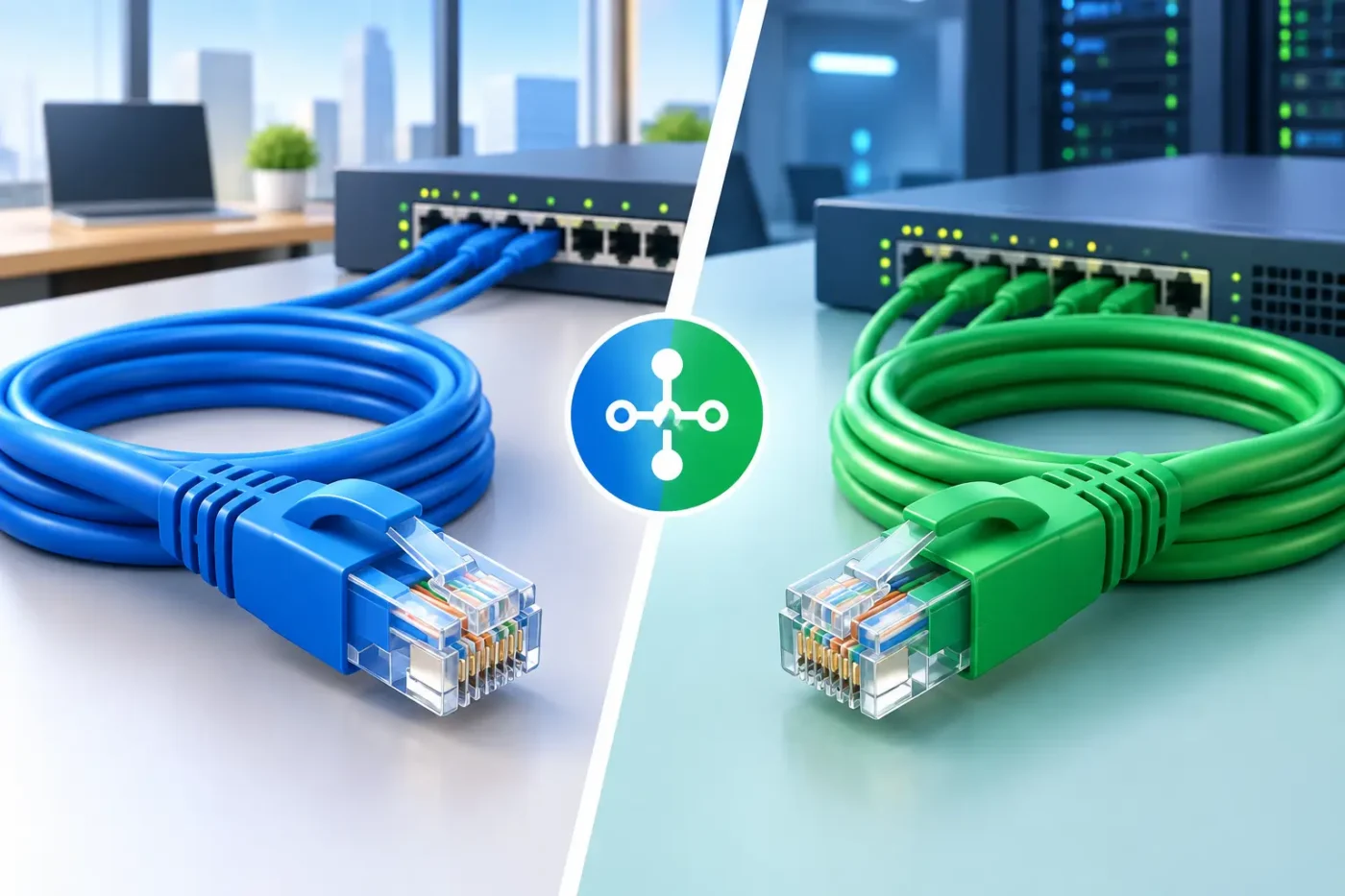
The simplest way to think about it is this. Business broadband is usually a shared service, while a leased line is a dedicated connection just for your organisation.

With business broadband, the connection between your premises and the wider network is shared with other users in the area. That is one reason why it is generally more affordable. It is also why speeds can vary, particularly at busier times. For many smaller offices, that trade-off is perfectly acceptable.

A leased line is different. It gives your business a private, uncontended connection with guaranteed bandwidth. If you buy a 100Mbps leased line, you should expect to receive that speed consistently, not just under ideal conditions. That predictability is often the deciding factor for organisations that rely heavily on connectivity.

Another key distinction is upload speed. Standard broadband services often offer much lower upload than download speeds. A leased line is typically symmetrical, which means upload and download speeds are the same. If your team uses Microsoft 365 heavily, backs up data to the cloud, hosts calls all day or transfers large files, that can make a noticeable difference.

When business broadband is the right fit

Business broadband is often the practical choice for smaller firms that need a reliable connection without the higher monthly cost of a dedicated circuit. If your business has a modest headcount, limited cloud dependency and no unusual bandwidth demands, it may be more than sufficient.

A small office that mainly uses email, web-based systems, VoIP for light call volumes and occasional video meetings can often run well on a properly specified broadband service. The same applies to start-ups trying to manage overheads carefully in the early stages.

That said, the best results usually come from matching the service to real usage rather than choosing the cheapest tariff. A connection that looks cost-effective on paper can become expensive if staff waste time dealing with dropouts, poor call quality or slow access to key systems.

Business broadband can also be a sensible option for secondary sites, temporary offices or smaller branches where a premium connection would be difficult to justify commercially.

When a leased line makes more sense

A leased line is usually the better choice when internet access is business-critical rather than simply useful. If your phones, cloud platforms, remote access, CCTV, payment systems and day-to-day operations all rely on that connection, consistency matters as much as speed.

This tends to apply to larger offices, multi-user environments and organisations with constant online demand. It is also common in sectors where downtime has a direct operational or financial impact, including healthcare, education, professional services and multi-site operations.

If your team regularly works with hosted applications, large shared files or real-time communication tools, a leased line offers more headroom and fewer performance surprises. It can also support future growth more comfortably. Rather than revisiting your connectivity every time your business expands, you start with infrastructure that gives you room to scale.

There is also the issue of resilience and service assurance. Leased lines generally come with stronger service level agreements, faster fault response times and better uptime commitments. For some businesses, that support framework is just as valuable as the connection itself.

Cost: upfront savings vs long-term value

Price is often where the comparison becomes more nuanced. Business broadband is cheaper than a leased line in most cases, both in monthly rental and installation costs. If budget is tight, that can make the decision feel obvious.

But connectivity should be assessed in terms of business value, not line rental alone. If a cheaper service contributes to poor call quality, lost trading time, frustrated staff or a weaker customer experience, the real cost can be higher than it first appears.

A leased line costs more because it provides more. You are paying for dedicated bandwidth, better performance guarantees and a higher level of service. For businesses that depend heavily on uninterrupted access, that extra spend can be easy to justify.

The better question is not whether one option is cheaper. It is whether the lower-cost service is good enough for the way your organisation works.

Reliability and support are often the real deciding factors

Speed tends to attract the most attention, but reliability is usually what businesses remember. A line that performs well most of the time can still be a problem if faults take too long to resolve or performance drops at critical moments.

With business broadband, support levels vary depending on the service and provider. Some packages include enhanced fault response, but they do not usually offer the same commitment as a leased line. If uptime is important, this difference should not be overlooked.

A leased line typically comes with a contractual service level agreement covering availability, fix times and response standards. For businesses without in-house IT capacity, that assurance can remove a lot of risk. It means there is a clearer path to resolution if an issue arises.

This is one reason many organisations seek advice rather than buying purely on headline speed. The right provider should look at how your team works, what systems you rely on and what level of downtime your business can realistically tolerate.

Business broadband vs leased line for cloud and hybrid working

Cloud adoption has changed the conversation. A few years ago, many businesses used the internet mainly for email and browsing. Now, even smaller organisations often depend on hosted telephony, cloud file sharing, remote desktops, video conferencing and software delivered entirely online.

That shift places greater pressure on upload performance, latency and stability. In hybrid working environments, staff expect the office connection to support meetings, collaboration and secure access without delays. If several users are making video calls while files synchronise in the background, an entry-level broadband service can start to struggle.

This does not mean every cloud-based business needs a leased line. It means the choice should reflect how heavily you rely on cloud platforms and how many people are competing for bandwidth at once.

How to decide what your business actually needs

The most useful starting point is to look at real demand. How many users are online at peak times? Which systems are business-critical? How badly would an outage affect trading, service delivery or customer confidence?

You should also consider what is changing over the next 12 to 24 months. If you are moving to hosted telephony, increasing headcount, opening more sites or shifting more services into the cloud, your connectivity needs may soon look very different.

For some organisations, the answer will be straightforward. Business broadband is enough for now, provided it is specified correctly and supported properly. For others, the risk of variable performance outweighs the extra cost of a leased line.

There is also a middle ground. Some businesses use broadband as a primary service with a mobile or secondary connection for backup. Others install a leased line at a main site while keeping smaller branches on broadband. The right answer depends on operational priorities, not a one-size-fits-all rule.

A consultative approach matters here. Providers that assess your site, usage patterns and broader IT requirements can often save you money by recommending the right level of service rather than simply the most expensive one. That is where an experienced partner such as iData can add value, particularly for businesses that want connectivity, telephony, security and support aligned under one plan.

The better connection is the one that fits your business

If your organisation can tolerate occasional variation in performance and your bandwidth demands are fairly modest, business broadband may be the sensible commercial choice. If connectivity is central to how you operate and downtime carries real consequences, a leased line is often the stronger investment.

The key is not to buy internet access as a commodity. Treat it as part of your business infrastructure. When the connection is right, your systems work better, your team works better and your customers feel the difference.

7 Best Business Firewall Solutions for SMEs

A firewall that was perfectly adequate three years ago can quickly become a liability. More staff are working remotely, more business systems sit in the cloud, and cyber threats are far less forgiving of patchy security. That is why many firms looking at the best business firewall solutions are not just asking which product has the longest feature list. They are asking which option will protect the business properly without creating more complexity for their team.

For most SMEs, the right answer sits somewhere between security strength, ease of management, performance, and the quality of ongoing support. A firewall should not simply block threats. It should fit the way your business actually works, whether that means a single office with a handful of users, a growing multi-site operation, or a business handling sensitive client data and strict compliance requirements.

What makes the best business firewall solutions stand out?

The market is crowded, and most vendors make broadly similar claims. In practice, the best business firewall solutions usually separate themselves in a few clear areas.

First, there is visibility. You need to see what traffic is moving through the network, which applications are being used, and where suspicious behaviour is coming from. Second, there is threat prevention. Modern firewalls should go beyond basic port blocking and include features such as intrusion prevention, web filtering, malware protection, VPN access, and application control. Third, there is usability. A powerful firewall is less useful if no one in the business can manage policy changes confidently or spot issues before they affect users.

For SMEs, support matters just as much as specification. Some organisations have in-house IT capacity and can manage a more advanced platform. Others need a managed service with monitoring, updates, and practical guidance built in. That is often where the real value lies, because security failures rarely happen due to missing features alone. They happen because systems are misconfigured, left unpatched, or not properly reviewed over time.

7 best business firewall solutions to consider

Fortinet FortiGate

Fortinet is often a strong fit for SMEs that want serious security capability without stepping straight into enterprise-level cost. FortiGate appliances are well regarded for strong threat detection, SD-WAN functionality, secure VPN access, and good overall performance.

The main appeal is breadth. You can cover firewalling, content filtering, remote access, and deeper security inspection in one platform. For businesses with multiple sites or hybrid working patterns, that can simplify things. The trade-off is that setup and policy tuning still need care. It is a capable platform, but it works best when properly designed and maintained.

Sophos Firewall

Sophos is popular with smaller and mid-sized organisations because it is relatively approachable while still offering advanced protection. It tends to appeal to businesses that want clear reporting, straightforward management, and strong endpoint integration.

Where Sophos often scores well is usability. If a business already uses Sophos endpoint security, the combined visibility can be very helpful. That said, it is not a one-size-fits-all choice. Some environments may find other vendors stronger on very large-scale deployments or specialist networking features.

Cisco Meraki MX

Cisco Meraki is attractive for businesses that want cloud-managed networking and security with minimal overhead. The dashboard is one of its biggest selling points. It makes administration simpler, especially for companies with several locations and limited internal IT resource.

Meraki can be a good option where ease of deployment and central oversight matter more than deep customisation. The downside is that licensing costs need careful attention, and some businesses may find the feature depth less flexible than more security-led platforms. It is often a sensible commercial choice, but not always the cheapest over the long term.

SonicWall TZ Series

SonicWall has long been a familiar name in the SME market. Its TZ range is aimed at smaller offices and branch environments, offering gateway security, content filtering, VPN capability, and intrusion prevention.

For many firms, SonicWall sits in the middle ground – practical, established, and often priced sensibly for the feature set. The quality of the solution depends heavily on correct licensing and configuration, so it is worth looking beyond the appliance cost alone. A lower entry price can become less attractive if support and security subscriptions are not scoped properly.

WatchGuard Firebox

WatchGuard is another strong contender for SMEs, particularly those that want solid security with manageable complexity. Firebox appliances usually offer a good spread of services, including malware defence, secure remote access, and traffic inspection.

One advantage is that WatchGuard often feels tailored to the mid-market rather than scaled down from a large enterprise product. That can make it easier for smaller organisations to get what they need without paying for functions they will never use. Still, the best fit depends on the business. If your network is changing rapidly or includes unusual requirements, a more customisable platform may be preferable.

Palo Alto Networks PA-Series

Palo Alto Networks is widely respected for advanced threat prevention and application-level control. It is frequently seen in larger organisations, but some SMEs with high compliance demands or elevated cyber risk also consider it.

This is usually a premium option. The capability is strong, but so is the investment required, both financially and operationally. For a business with straightforward requirements, it may be more than necessary. For one dealing with sensitive data, strict governance, or a more complex security posture, the extra control can be justified.

Netgate pfSense Plus

For businesses that want flexibility and tighter cost control, pfSense Plus can be worth considering. It is especially relevant for organisations with capable IT support that are comfortable with a more hands-on approach.

The appeal here is customisation and value. You can build a highly effective firewall solution without committing to the licensing model of some larger vendors. The obvious trade-off is that it is less turnkey. Support, maintenance, and design decisions matter a great deal, so this route generally suits firms with the right technical backing rather than those wanting a fully managed experience.

How to choose between the best business firewall solutions

The shortlist should be shaped by your business, not by brand recognition alone. Start with your environment. A ten-person office with cloud-based software and a single site does not need the same design as a manufacturer with guest WiFi, remote VPN users, CCTV traffic, and site-to-site connectivity.

Then look at risk. If you handle payment data, health records, education data, or confidential client information, your firewall requirements are likely to be more demanding. You may need stronger reporting, tighter segmentation, better web control, and more formal security policy management.

Performance is another factor that gets overlooked. A firewall can advertise impressive features, but if security inspection slows internet access or affects voice traffic, staff will notice quickly. Broadband quality, WiFi design, telephony, and firewall settings all interact. That is why buying a box in isolation is rarely the best approach.

Management is often the deciding issue for SMEs. If nobody in the business has time to review logs, apply firmware updates, monitor alerts, and adjust rules safely, then a managed firewall service is usually the better option. It gives you the technology and the day-to-day oversight needed to keep it effective.

Appliance, cloud-managed, or fully managed?

This is where the right decision often becomes clearer. A traditional appliance may suit businesses with internal IT staff who want direct control. A cloud-managed platform can be helpful for distributed sites and simpler administration. A fully managed service suits organisations that want security expertise without building it in-house.

There is no universal winner. It depends on whether your priority is flexibility, convenience, internal control, or outsourced accountability. In many cases, SMEs benefit most from a firewall that is selected, configured, monitored, and supported as part of a broader IT and connectivity strategy rather than treated as a standalone purchase.

That matters even more when offices rely on stable broadband, hosted telephony, secure remote access, and dependable network performance. A firewall should protect the business, but it should also support how people work every day.

A practical way to make the right decision

If you are comparing the best business firewall solutions, avoid starting with feature tables alone. Begin with a proper review of users, devices, locations, applications, compliance needs, and existing connectivity. From there, it becomes much easier to judge whether you need premium enterprise control, a mid-market balance of protection and usability, or a more cost-conscious platform with the right support around it.

For many UK organisations, the strongest result comes from tailored advice rather than a standard product recommendation. A dependable firewall is not just about preventing attacks. It is about making sure your business can operate confidently, with the right protection in place and the right people available when something needs attention.

A good firewall should quietly do its job in the background. The best one is the solution that fits your business well enough that security feels controlled, performance stays reliable, and growth does not mean starting again from scratch.

Office Relocation IT Support That Cuts Risk

An office move has a habit of looking straightforward until the first day in the new space. Desks arrive, staff turn up, and suddenly the internet is not live, phones are not routing properly, printers are missing from the network, and key systems cannot be accessed. That is why office relocation IT support matters. It turns a physical move into a managed business change, with the right planning, technical delivery and follow-up support to keep disruption under control.

For most organisations, the real risk is not the removal vans. It is lost productivity, missed calls, delayed customer response and security gaps created during the transition. If your business depends on cloud platforms, business broadband, hosted telephony, WiFi, structured cabling and secure access to shared systems, an office move needs more than a checklist. It needs coordination across every part of your technology estate.

What office relocation IT support should actually cover

Good office relocation support starts well before moving day. The first step is understanding what exists now, what needs to move, what should be replaced and what the new office requires. That means reviewing your current network, internet connection, phone system, wireless coverage, server setup, user devices, printers, access points, cabling and security controls.

This is also the point where practical business decisions get made. A move can be the right time to replace ageing hardware, improve broadband resilience or retire an old on-site phone system in favour of hosted telephony. Equally, not every business needs a major overhaul. Sometimes the right answer is to relocate the current setup efficiently and avoid unnecessary cost. The best approach depends on your contract terms, current infrastructure, growth plans and tolerance for downtime.

A proper survey of the new premises is central to that process. Floor layout, wall construction, comms room location, power availability and building access all affect how your technology should be installed. A new office may look modern, but that does not guarantee it is ready for your network, phones or wireless coverage. Many businesses only discover limitations after the move, when fixing them becomes slower and more expensive.

Why planning matters more than moving day

The most successful relocations are usually the least dramatic. That is because the work has already been done in advance. Connectivity orders are placed early, installation dates are confirmed, structured cabling is designed around how teams actually work, and fallback arrangements are prepared if there is a delay from a third-party carrier.

Broadband and leased line lead times are one of the most common pressure points. If the new office does not have the right service live when staff arrive, the whole move can stall. In some cases, a temporary solution such as 4G or 5G failover may be sensible. In others, the priority is to place connectivity orders as soon as the lease is agreed. There is no one-size-fits-all answer, but leaving connectivity until the final weeks is rarely a good idea.

Phones create a similar challenge. Number continuity, call routing, handset deployment and user setup all need attention. If your business relies on inbound customer calls, even a short interruption can affect service levels and revenue. Hosted telephony often gives more flexibility during a move because users and numbers can be transitioned with less reliance on fixed site equipment. That said, if your current telephony works well and the move is simple, a full migration may not be necessary. The commercial case matters as much as the technical one.

Office relocation IT support and business continuity

Relocation planning should always include business continuity. The question is not just how to move your systems, but how to keep the business working if part of the plan slips. Staff may need remote access for a period. Core teams may require priority setup. Critical services such as finance systems, CRM platforms, shared drives and email need clear testing and handover.

This is where a staged approach often works well. Rather than treat the office move as a single event, it helps to break it into milestones: pre-move preparation, installation at the new site, relocation of equipment, go-live testing and post-move support. That structure gives decision-makers clearer visibility and reduces the chance of last-minute surprises.

Security should not be treated as a separate issue. Moves can expose weaknesses, especially when equipment is disconnected, transported or reinstalled in a hurry. Firewalls need to be configured correctly, user permissions should be reviewed, wireless networks must be secured, and any temporary workarounds should be monitored. A rushed move can create open doors that stay open far longer than intended.

What SMEs often miss during an office move

Small and medium-sized businesses are often balancing cost, time and internal resource. That can lead to sensible compromises, but it can also mean critical details are overlooked. One of the biggest is assuming the landlord or building manager has already solved the technical basics. In reality, the incoming tenant is usually responsible for much of the network, broadband setup and internal cabling.

Another common issue is fragmented supplier management. One provider handles broadband, another manages telephony, another looks after IT support, and someone else is expected to deal with cabling. When timelines tighten, that model creates confusion over responsibility. If there is a problem, each supplier may point elsewhere. A coordinated, end-to-end service reduces that risk because planning and delivery sit under one accountable team.

Businesses also underestimate the value of post-move support. Even when the main relocation goes well, the first few days in a new office tend to uncover smaller issues. Devices may need reconnecting, WiFi coverage may need adjustment, printers may require mapping, and users often need quick answers to practical setup questions. Fast support at that stage helps the organisation settle into the new space without unnecessary frustration.

How to choose the right office relocation IT support partner

The key question is not simply whether a supplier can move equipment. It is whether they understand the wider business impact of the move. You need a partner that can advise on connectivity, telephony, networking, cabling, security and user support as part of one plan, not as isolated tasks.

Experience matters, but so does delivery model. If most of the work is passed between third parties, accountability becomes harder to maintain. An in-house team can usually provide tighter control over surveys, installation quality, scheduling and issue resolution. That becomes particularly valuable when several workstreams need to happen in a specific order.

Commercial clarity matters too. A business move can trigger opportunities to reduce costs, but it can also create unnecessary spend if services are duplicated or replaced without a clear reason. Good advice should be practical and balanced. Sometimes that means upgrading infrastructure to suit growth. Sometimes it means keeping what works and focusing spend where it will make a measurable difference.

For organisations that want one provider to manage the wider picture, iData’s approach is built around consultation, in-house delivery and ongoing support. That makes it easier to align the move with business continuity, security and future operational needs rather than treating relocation as a one-off logistics exercise.

After the move, the job is not finished

Once teams are in the new office, attention should turn to optimisation. Network performance, WiFi coverage, call quality and user experience should all be reviewed in a live environment. The layout that looked right on paper may need adjustment once meeting rooms are in use, devices are connected and staff are working at full capacity.

This is also a good moment to review longer-term goals. If the move has introduced hybrid working, expansion plans or additional sites, your infrastructure should support that direction. The new office should not just function on day one. It should give the business a better platform for the next stage of growth.

A well-managed relocation is not about moving technology from one building to another. It is about making sure your systems, people and communications are ready to work without avoidable disruption. When office relocation IT support is planned properly, the move feels less like a risk to manage and more like an opportunity to put stronger foundations in place.

If you are preparing for a move, the right time to plan your IT is earlier than most businesses think – and that early preparation is often what protects the first working day from becoming the most expensive day of the project.

Fibre Optic Cabling for Offices Explained

When an office struggles with slow file transfers, dropped calls, patchy WiFi or repeated network bottlenecks, the problem is not always the broadband line. Quite often, the issue sits inside the building. Fibre optic cabling for offices gives businesses a faster, more dependable backbone for the systems staff rely on every day, from cloud platforms and hosted telephony to CCTV, access control and large data transfers.

For many organisations, cabling is easy to ignore until it starts holding everything else back. You can upgrade your firewall, move to Microsoft 365, improve your broadband package and modernise your phones, but if the underlying cabling is outdated or poorly designed, performance will still suffer. That is why office cabling should be treated as part of your wider technology strategy rather than a standalone install.

What fibre optic cabling for offices actually does

In simple terms, fibre optic cabling carries data using light rather than electrical signals. That allows it to move large volumes of data over longer distances with less signal loss than traditional copper cabling. In an office environment, that matters because networks now support far more than desktop internet access.

A typical workplace may be running cloud applications, video meetings, VoIP handsets, wireless access points, printers, security systems, door entry, backups and shared storage at the same time. As these demands grow, the cabling between comms rooms, floors, cabinets and key network points becomes more important.

Fibre is often used as the high-capacity link within a building, particularly between cabinets or across larger office spaces. It is not always necessary to run fibre to every desk, and that is where good design matters. In many offices, the right setup is a mix of fibre for backbone connectivity and structured copper cabling for end-user devices.

Why businesses are moving towards fibre

The main driver is capacity. Businesses are relying on more bandwidth-intensive services than they were even a few years ago. Video collaboration is now standard. Cloud-hosted systems are business-critical. Security cameras record in higher resolutions. Teams expect quick access to shared files with no delay.

Copper still has a clear role, but fibre gives you more room to grow. It can handle greater throughput and provides better support for environments where demand is likely to increase over time. If you are fitting out a new office, refurbishing an existing space or planning for expansion, installing fibre in the right places can prevent a costly rethink later.

Reliability is another factor. Fibre is less susceptible to electromagnetic interference, which can be relevant in office buildings with dense electrical infrastructure or equipment that may affect signal quality. That does not mean copper is unreliable by default, but fibre can offer a more stable option for critical backbone links.

There is also the question of distance. In larger buildings or multi-floor offices, copper runs may hit practical limits. Fibre makes it easier to maintain performance across longer internal links without introducing avoidable weak points.

Where fibre optic cabling makes the biggest difference

The strongest case for fibre is usually in the building backbone rather than at the edge. For example, if your office has a main comms room on one floor and network cabinets serving other floors or departments, fibre provides the capacity to connect those points properly.

It is also worth considering for offices with heavy data use. Design studios, engineering firms, healthcare settings, schools and multi-site businesses often move large files or rely on uninterrupted access to central platforms. In those cases, the network needs to do more than cope with basic browsing and email.

Fibre can also support office moves and fit-outs where future flexibility matters. If your business expects to add headcount, reconfigure departments or introduce more connected systems, installing a stronger backbone from the outset is usually more economical than retrofitting later.

When fibre is not the whole answer

There is a tendency to treat fibre as the premium option in every situation, but that is not always commercially sensible. The right infrastructure depends on your building, your systems and how your teams actually work.

For many small and medium-sized offices, a full fibre-only internal network would be unnecessary. Standard structured data cabling still works well for desktops, phones and many connected devices. The smarter approach is often to use fibre where it adds clear value and copper where it remains practical and cost-effective.

This is where surveys and proper planning matter. A business does not benefit from paying for capacity it will never use, but it also does not benefit from choosing the cheapest cabling route if that decision creates performance issues, limits growth or causes disruption later.

Planning fibre optic cabling for offices properly

A successful cabling project starts with understanding the building and the business, not just the product specification. The first question is what the network needs to support now, followed closely by what it may need to support over the next three to five years.

That includes staff numbers, floor layout, bandwidth demand, cabinet locations, WiFi coverage, phone systems, security devices and any specialist systems already in place. It also includes practical constraints such as ceiling voids, trunking routes, listed building considerations, access windows and working hours.

One of the most common mistakes is treating cabling as an afterthought in a relocation or refurbishment. By the time desks are in place and rooms are occupied, installation becomes harder, slower and more disruptive. Bringing cabling into the plan early gives far more control over cost, performance and finish quality.

It is also important to think beyond installation day. Testing, labelling and documentation are not admin extras. They make ongoing support much easier, especially if you need to troubleshoot faults, expand the network or hand over a site to internal IT teams.

Common risks and avoidable mistakes

Poor design causes more problems than poor intentions. Businesses sometimes install cabling based only on current desk positions, then find the office layout changes within months. Others focus on broadband speed without checking whether their internal network can distribute that capacity properly.

Another risk is using multiple suppliers with no clear ownership. One provider handles broadband, another installs the phones, a third deals with WiFi and someone else runs the cabling. When performance problems appear, accountability becomes blurred. A more joined-up approach tends to save time and frustration because the infrastructure is planned as a whole.

Quality of installation also matters. Fibre requires careful handling, correct termination and proper testing. Cutting corners here can create faults that are hard to diagnose and expensive to revisit. For offices that depend on uptime, workmanship is not a minor detail.

How fibre supports broader office technology

Good cabling does not sit in isolation. It underpins the services businesses increasingly depend on. Faster internal links can improve the performance of cloud-connected teams, support stable hosted telephony, strengthen WiFi deployment and provide the capacity needed for modern security systems.

That is particularly relevant for organisations trying to simplify suppliers and reduce operational risk. If your network, broadband, telephony, wireless and security systems all depend on the same infrastructure, the cabling needs to be planned with those services in mind. This is where an experienced provider can add real value by looking at the whole environment rather than treating cabling as a box-ticking exercise.

For example, an office may assume it has a WiFi problem when the real issue is insufficient backbone capacity between network cabinets. Or it may blame call quality on the phone system when internal cabling is introducing avoidable instability. Looking at the wider picture tends to produce better decisions.

Choosing the right partner for office cabling

Technical capability matters, but so does accountability. Businesses usually want clear advice, a sensible specification and confidence that the work will be completed properly with minimal disruption.

That is why in-house delivery can make a noticeable difference. A provider that surveys, designs and installs with its own engineers has greater control over standards, timescales and communication. It also means fewer handovers between third parties and a clearer route to support if anything needs adjusting later. For organisations that cannot afford downtime, that practical control matters as much as the cable type itself.

The best advice is rarely to install the most expensive option across the entire office. It is to build an infrastructure that suits the building, supports the business and leaves enough room for change without overspending.

Fibre optic cabling for offices is not about buying more technology than you need. It is about making sure the network inside your building is ready for the systems your business depends on now, and the ones you are likely to add next. If the foundations are right, every other technology decision becomes easier.

Structured Data Cabling Installation Guide

When a business keeps adding desks, devices and cloud services onto cabling that was never planned properly, the problems tend to show up in the same places – slow connections, unreliable phones, patchy WiFi backhaul and wasted time when something needs tracing. Structured data cabling installation is what turns that patchwork into an organised, scalable foundation that supports the rest of your IT and communications estate.

For many organisations, cabling is only noticed when it causes disruption. That is usually too late. If your network infrastructure is being upgraded, your office is being refitted, or you are preparing for a relocation, cabling deserves early attention because it affects performance, future flexibility and the speed at which other systems can be deployed.

What structured data cabling installation actually means

Structured data cabling installation is the design and fitting of a standardised cabling system that connects workstations, switches, wireless access points, phones, printers, CCTV and other networked equipment through a clear, manageable layout. Instead of running ad hoc cables whenever a new device appears, the building is set up with a consistent framework.

That framework usually includes cabinet infrastructure, patch panels, data outlets, cable runs, containment and labelling. The goal is not simply to get devices online. It is to create a system that is easy to maintain, test, expand and troubleshoot without unnecessary disruption to day-to-day operations.

A well-planned installation also reduces dependency on workarounds. If your team is using unmanaged switches under desks or long trailing patch leads to compensate for poor layout, that is often a sign the cabling infrastructure is falling behind the way the business now works.

Why businesses invest in proper cabling

The commercial case is straightforward. Reliable cabling supports productivity, protects technology investment and makes future changes easier. If the physical layer of the network is weak, even high-quality broadband, firewalls, telephony platforms and cloud applications will struggle to deliver consistent performance.

For SMEs, there is also a strong operational benefit. A structured system gives clarity. Ports are labelled, routes are documented and cabinets are organised. That matters when adding a new user, moving a department, diagnosing a fault or preparing for an audit. The less time your IT provider spends tracing mystery cabling, the faster issues can be resolved.

There is a cost angle too. A cheaper installation can look attractive at procurement stage, but poor workmanship, limited testing and little regard for future growth often create higher costs later. Retrofitting extra outlets, correcting bad routes or replacing low-grade components is always more disruptive once the office is occupied.

Planning a structured data cabling installation properly

The best results usually come from starting with the business layout rather than the cable specification. How many users are there today? Which teams are expected to grow? Where will printers, wireless access points, meeting room systems and security devices sit? Are there any bandwidth-heavy applications or compliance requirements to consider?

A proper survey should answer these questions before installation begins. This avoids the common mistake of cabling only for current desk positions and ignoring what happens in 12 or 24 months. Office layouts change. Departments move. Hybrid working patterns shift room usage. A cabling design should allow for that reality.

There are also practical building considerations. Older premises, listed buildings, warehouses and multi-floor sites all present different installation challenges. Ceiling voids, risers, trunking routes and cabinet locations need careful planning. In some cases, the neatest route is not the most practical one for future maintenance, so there is always a balance between visual finish, access and long-term usability.

Choosing the right cable category and layout

Not every site needs the same specification. Cat5e may still be sufficient in some lower-demand environments, but many businesses now choose Cat6 or Cat6a to support higher speeds, better headroom and a longer lifecycle. The right choice depends on your applications, switch infrastructure, device density and budget.

This is one of those areas where it depends matters. Over-specifying can add cost without meaningful benefit, particularly in smaller offices with modest bandwidth needs. Under-specifying can be equally expensive if you outgrow the installation quickly. The right answer comes from matching the cabling to your wider technology plan, not from picking the highest category available and hoping for the best.

Layout matters just as much as cable type. Outlet placement should reflect how people actually use the space. A meeting room with one floor box and no allowance for screens, video conferencing kit or future occupancy changes can become frustrating very quickly. Likewise, access points and CCTV cameras need cabling positions that support coverage and performance, not just convenience during installation.

What a good installation process looks like

A professional installation should feel controlled from start to finish. It begins with a site survey and design, followed by a clear scope of works. From there, the installation team should coordinate around your working environment to minimise disruption, particularly if the premises remain occupied during the project.

During the fit-out, cable routes should be tidy, compliant and sensibly supported. Cabinets should be organised and labelled in a way that makes sense to the next engineer who has to work on them. This sounds basic, but it is where quality often shows. A neat cabinet is not just about presentation. It reduces risk, speeds up maintenance and makes future changes easier.

Testing is another area where standards matter. Every installed link should be tested and results documented. Without that, you are relying on assumption rather than evidence. If a fault appears later, documented test results provide a baseline and help narrow down whether the issue sits with the cabling, hardware or service layer.

Handover should include labelling, as-fitted documentation and a clear understanding of spare capacity. A business should know what has been installed, where it goes and how easily it can be expanded.

Common mistakes that create problems later

One of the most frequent issues is treating cabling as a standalone job rather than part of a wider IT and communications plan. If your broadband handover, switch configuration, WiFi design, hosted telephony and office layout are all being managed separately, gaps tend to appear. Those gaps often surface during move-in week, when time is short and expectations are high.

Another mistake is focusing only on desk connections while forgetting devices around the edge of the business. Wireless access points, door entry systems, CCTV, digital signage and printers all rely on reliable structured cabling. Missing those requirements at design stage can lead to visible patch-up work later.

There is also the issue of accountability. When multiple subcontractors are involved, fault-finding can become drawn out because responsibility is split. An integrated approach with in-house delivery tends to provide clearer ownership and better coordination, particularly on live sites or time-sensitive relocations.

When to upgrade existing cabling

A full replacement is not always necessary. Sometimes an existing system can be extended or reorganised if the core infrastructure is sound. In other cases, patchwork additions, poor labelling, ageing cable categories and cabinet congestion make a more comprehensive refresh the smarter choice.

Signs it may be time to review your cabling include recurring network dropouts, a shortage of available ports, growing reliance on temporary switches, visible cable clutter and difficulty identifying where connections terminate. Office moves, refurbishments and leased line upgrades are also good trigger points because they already involve change and planning.

This is where specialist advice has real value. The aim should not be to replace infrastructure for the sake of it. It should be to identify what will support the business properly over the coming years, with a sensible balance of performance, cost and future flexibility.

Structured data cabling installation as part of a wider infrastructure plan

The strongest outcomes come when cabling is considered alongside the rest of the environment. Network switching, business broadband, wireless coverage, telephony, security and user growth all influence what the physical infrastructure needs to support. Looking at these areas together usually prevents rework and gives a clearer budget picture.

That joined-up approach is particularly useful for office relocations, refits and multi-site rollouts, where timing and coordination matter as much as technical specification. A provider such as iData can plan, install and support the infrastructure through in-house teams, giving businesses one point of accountability from survey through to delivery.

If your current setup works only because people have learned to work around it, that is usually a sign the cabling deserves a closer look. Good infrastructure should make your systems easier to run, not harder. The right installation gives you room to grow, confidence in performance and fewer unpleasant surprises when the business changes.